






Build a Prize Wheel Promotion
A wheel in your brand colors and one link to share. Everyone who joins lands in your entries list.
Delete this prize?
Delete this prize?
Delete this prize?
Delete this prize?
Delete this prize?
Delete this prize?
Spin the wheel
What Is a Prize Wheel Promotion?
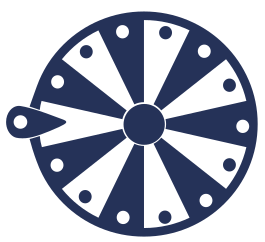
It is a promotion page of your own, shared with a single link. You write the prizes, whoever opens the link spins the wheel and sees the prize that came up. Everyone's details and the result they got stay in your entries list.
How Do You Set Up a Prize Wheel Promotion?
Write what you are giving away in the prizes section: a coupon code, plain text or a link to a page. Add Blank rows to set the prize distribution, give your logo and colors in the brand section, and choose which details are asked before joining. Once you publish, the promotion opens at its own address and all you share is the link.
How Is Prize Distribution Set?
The number of prize rows and Blank rows sets how prizes are distributed among participants. With three prize rows and three Blank rows, half of the entries receive a prize. You can change the distribution by adding or removing rows.
Where Do Participant Details Go?
You decide which of the email, name and phone fields are asked. Everyone's answers, the prize they got and the date are listed in the entries tab, and you can download all of it as CSV. While the one entry per person rule is on, the same person cannot spin a second time.
Trusted by more than a hundred thousand world-famous Brands and Influencers for giveaway pickers.

Frequently asked
What people ask before setting up a promotion.
How many prizes can the wheel hold?
There is no upper limit, every prize row you add splits the wheel further. The lower limit is two rows: a wheel with a single row does not spin. Slice labels turn along with the wheel, so long text appears trimmed and short labels stay readable.
Can I choose the result the wheel lands on?
No. The result is picked at random on every spin according to the prize distribution, and the wheel stops on that result. While setting it up you can pick a slice and see how it looks; that preview stays on your screen only.
Will my promotion page show up on Google?
No, the published promotion page is closed to search engines. Only someone who has the link opens the page, so you decide who the promotion reaches.
Can I embed the wheel in my own site?
Pasting the code from the Add to site tab into your page is enough. There are three formats: inline, popup and slide-in. You choose when it appears (as the page opens, after 5 seconds or halfway down) and whether the same person sees it again.
How does a participant see the result?
The prize screen opens once the wheel stops. If you wrote a coupon code, the code is copied with one tap; if you gave a link, it goes to the prize page; if you wrote a description, your text is shown. If a no-prize row comes up, the text you wrote for the empty result is shown.
Can I use the wheel link in my Instagram bio?
Yes. The promotion opens at its own short address and can be shared as a bio link or a story link. Whoever joins does not need to install an app or create an account.